Dive Into Our Solution
Explore the Modules of Every Product

Cumulia ORE

All modules are designed to meet the visualization needs of industrial software in the field of modeling and simulation.

ORE Core

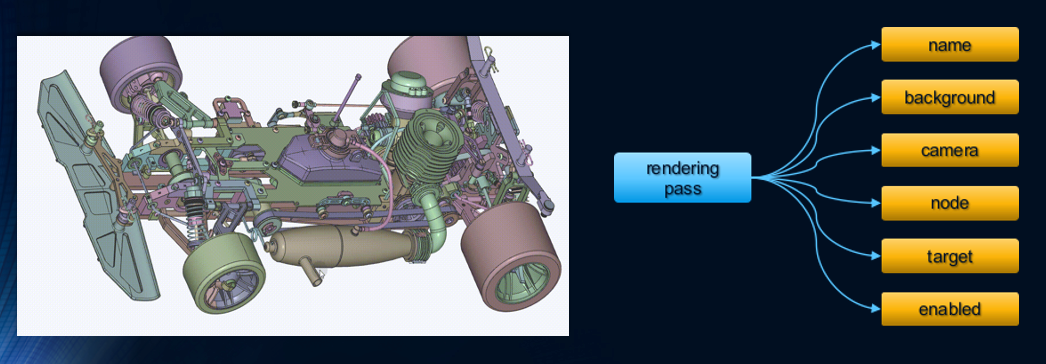
The ORE Core module serves as the backbone for creating visually stunning experiences. Its comprehensive set of features and tools enable:
  • efficient scene tree organization
  • rendering object encapsulation
  • mathematical operations on spatial geometry, and much more.
One of the most powerful tools provided by the Core module is the translation and sorting engine. This tool enhances the rendering performance by providing various strategies for sorting rendering objects, including:
  • simple sorting strategy for basic scenarios
  • quick sort strategy for more demanding applications
  • performance prioritization strategy to ensure that critical rendering tasks are prioritized
ORE Geometry

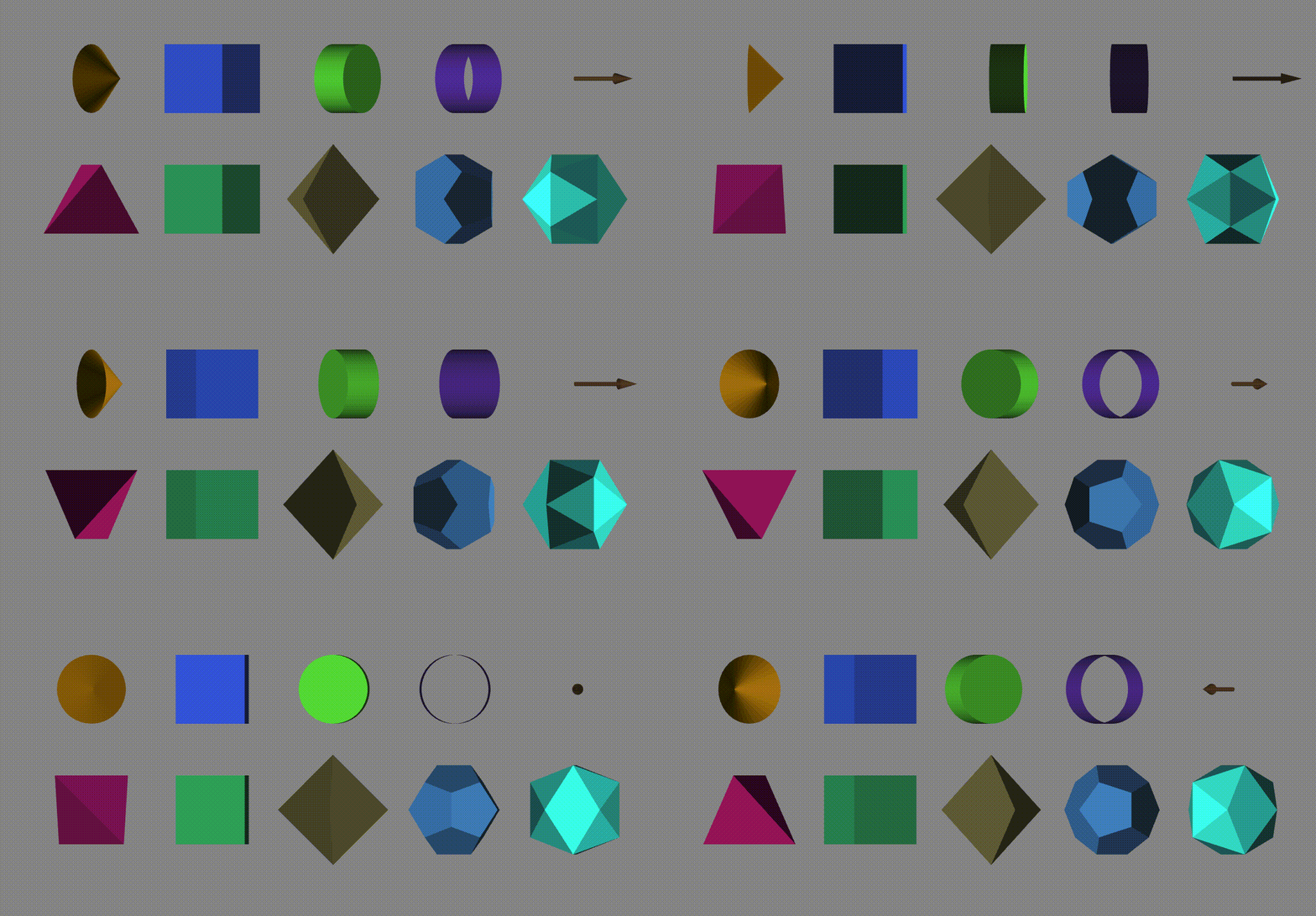
The geometry module is a fundamental component that enables the rendering of complex industrial models. From simple primitives like boxes, spheres, and cylinders, to more elaborate polyhedra and irregular shapes, the library provides a rich assortment of geometry classes to accurately represent the intricacies of industrial models.With adjustable dimensions, this module provides the flexibility required to accurately depict a wide range of structures.

Furthermore, the geometry module can seamlessly integrate with other components, such as material and texture mapping. This enables developers to apply realistic textures, materials, and lighting effects to their geometry.
ORE Camera

This camera module provides a variety of viewport camera position transformations, each of which can be easily controlled by a mouse, 3D mouse, or touchscreen device. Whether you're looking to orbit around an object, zoom in on a detail, pan across a scene, pinch to zoom, fit the viewport to the object, or return to the home position, the Camera module has got you covered.

ORE Material

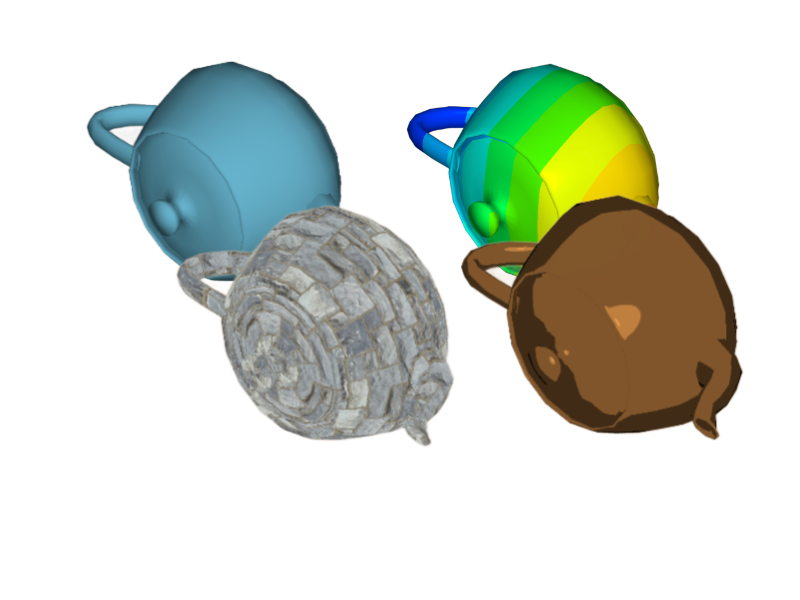
The Material module is a vital component of our rendering engine. It is responsible for defining the properties and appearance of the rendering objects, including color, texture, reflectivity, transparency, and more. The quality of our visual rendering heavily relies on the material module. We offer a wide range of material classes, including HeadLight, Phong, Gouraud, Spirit, Physical, and Others such as Toon and Contour.
ORE Color

The Color module offers a wide range of auxiliary functions related to color management. This module provides developers with convenient tools for color definition format conversion, legend bar generation, utilizing HTML color predefinitions, and generating random colors.

ORE IO

The IO module provides interfaces on the client side for pure rendering models. This module allows users to interact with and access the rendering models directly from their own devices.

ORE Selector

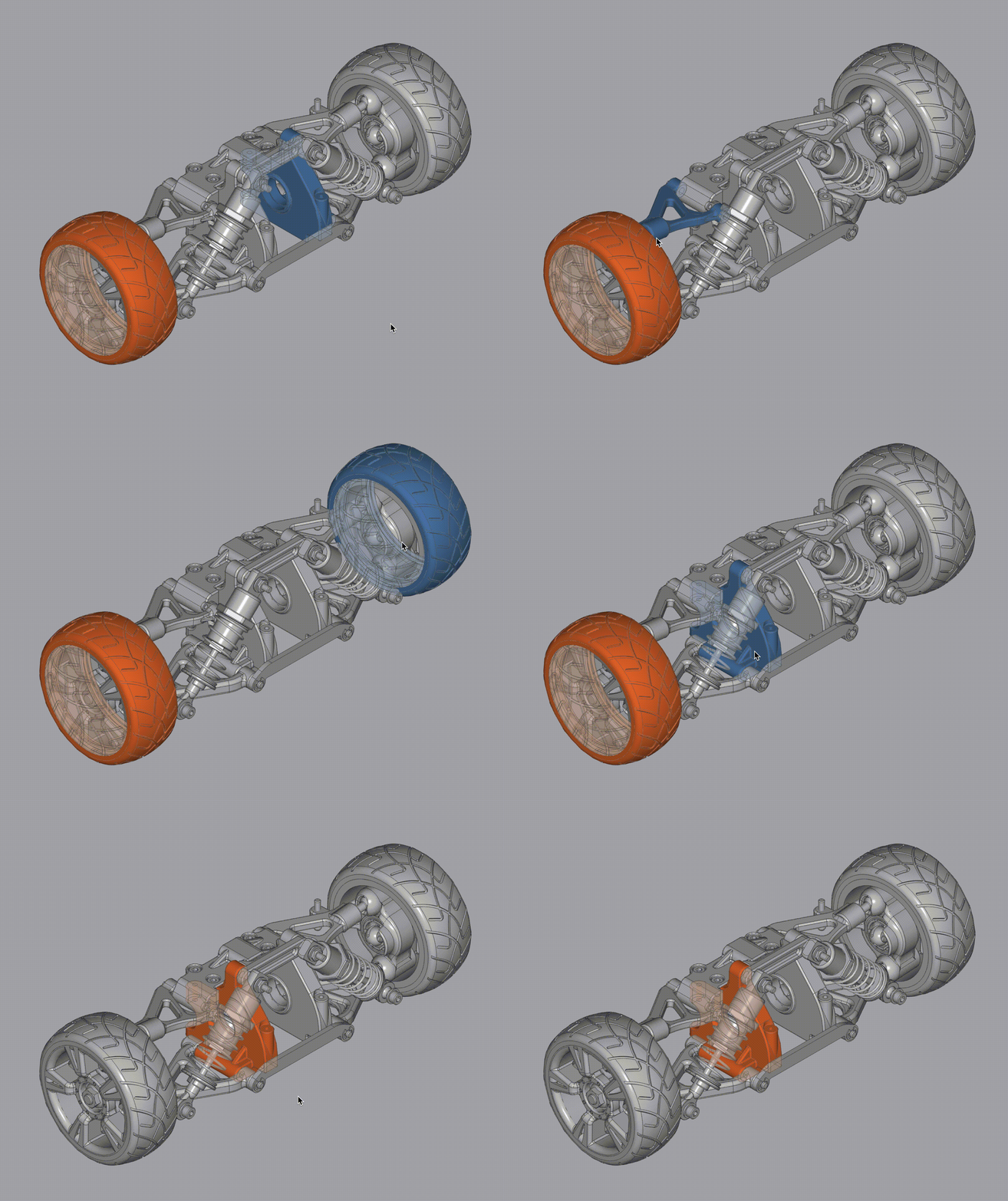
The Selector module allows users to select specific elements within a rendering environment. IIt provides a variety of selection options, including selecting bodies, faces, lines, and points of the rendering objects within the scene. Users can also select individual points or vertices by specifying their coordinates or vectors.

The module also supports fragment selection, allowing users to select specific fragments or pixels. In addition to individual element selection, the Selector module offers penetration selection for bodies, faces, lines, and points. This means that users can select elements that lie behind or intersect with other objects in the scene.
ORE Locator

The Locator module of ORE is a component that facilitates precise positioning in a rendering environment. It offers various types of locators to accurately determine the position, orientation, and geometry of objects within the scene, including Linear, Arc, Position, Orientation, Geometry, Rectangle, Cylinder, Sphere.

ORE Postprocessing

The Postprocessing module of ORE provides graphical post-processing capabilities, specifically for 2D image processing. It includes various commonly used image processing functions such as Gaussian Blur, Silhouette, Dilate, Erode, and others. These functions allow users to enhance and manipulate their images to achieve desired visual effects.

ORE Annotation

The Annotation module is a powerful tool that enables users to add 2D textual and graphical annotations in a 3D rendering environment, thereby enhancing the visual representation of objects or scenes. With this feature, you can add descriptive text and icons to provide further context, highlight important details, or label objects within the scene. The graphical icons or symbols can also represent specific actions, objects, or concepts, making it easier for users to understand the visual representation and navigate the rendered scene.

ORE Snapshot

The Snapshot module is a feature that allows users to capture screenshots within the rendering engine. This module enables users to capture an image of the current display or scene being rendered.

ORE Debugger

The Debugger module of ORE is a component that provides functionality for monitoring and analyzing GPU resource consumption. It allows users to track and measure the usage of GPU resources during the rendering process, providing valuable insights into the performance and efficiency of the rendering pipeline.